
GUIDE · BACTERIAL GENOME ANALYSIS
How to detect antibiotic resistance genes in a bacterial genome, step by step
This guide shows how to find antibiotic resistance genes and mutations in the genome of a bacterial isolate with MEGAM ARG Detection, on Windows and without the command line. All screenshots come from a real analysis of a public Klebsiella pneumoniae genome that you can download to repeat the exercise. The MEGAM interface is currently in French; the screenshots show it as it is.
Key points
- Install MEGAM on Windows 10 or 11 (64-bit).
- Prepare the biological databases from the application, in one click.
- Choose a FASTA (assembled genome) or FASTQ (reads) file.
- Start the analysis and follow its steps.
- Read the results: species, genes and mutations, genome quality, tool reports.
Before you start
- System: Windows 10 or 11, 64-bit. The installer is 377 MB.
- Biological databases: MEGAM downloads them from their official sources (6.2 GB) and prepares them itself. Plan at least 18 GB of free space during preparation; the databases then take about 9 GB.
- Memory: before each analysis, MEGAM estimates the memory required. With the current database, it plans about 9 GiB for Kraken2, the tool that identifies the species.
- Example data: the complete genome of Klebsiella pneumoniae HS11286, NCBI assembly GCF_000240185.1 (one chromosome and six plasmids, 5.68 Mb). Download it in FASTA format.
Step 1 — Install MEGAM
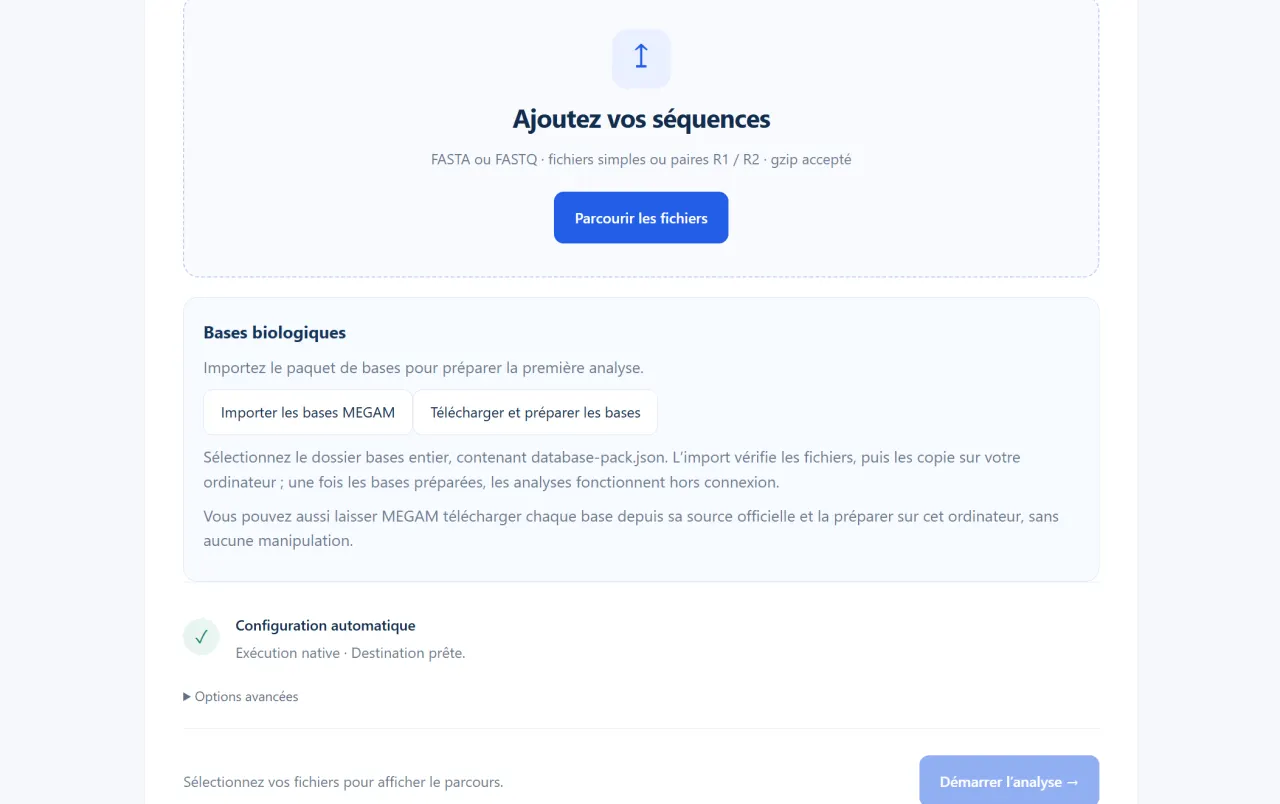
Download the installer from the download section, run it, then open MEGAM from the Start menu (“MEGAM” folder). On first launch, the “Bases biologiques” (biological databases) block indicates that the databases must be prepared before the first analysis.
Step 2 — Prepare the biological databases
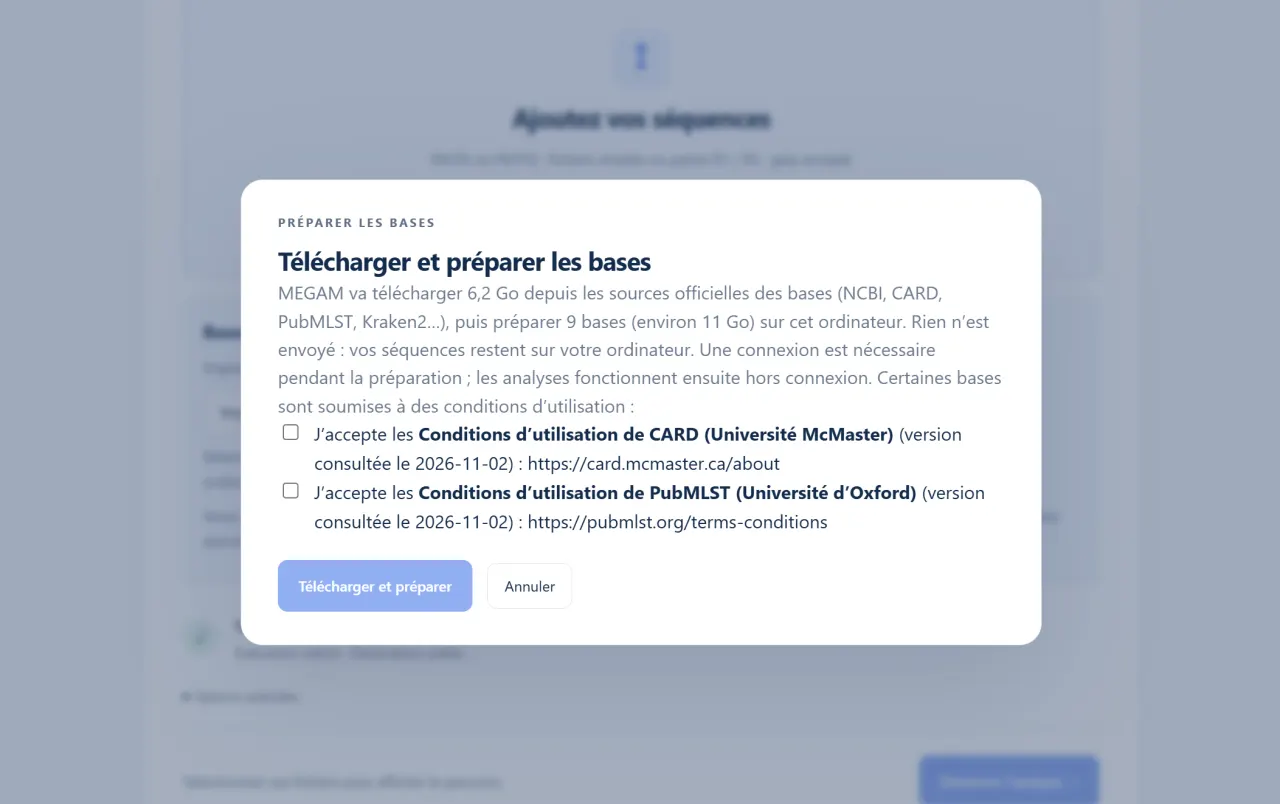
In the “Bases biologiques” block, click Télécharger et préparer les bases (download and prepare the databases). Accept the terms of use of CARD (McMaster University) and PubMLST (University of Oxford), then start the preparation. MEGAM downloads each database from its official source (6.2 GB), checks the checksum of every file, then builds the indexes on your computer itself: there is nothing to handle manually. On our test machine, the download took 20 to 50 minutes depending on the connection, then extraction and index building about 4 minutes. An interrupted preparation resumes without downloading the files already obtained again. You only do this once: analyses then run offline.
If you already have the MEGAM v5 database package, the Importer les bases MEGAM button is still available: select the bases folder containing database-pack.json.
Step 3 — Choose the sequences to analyse
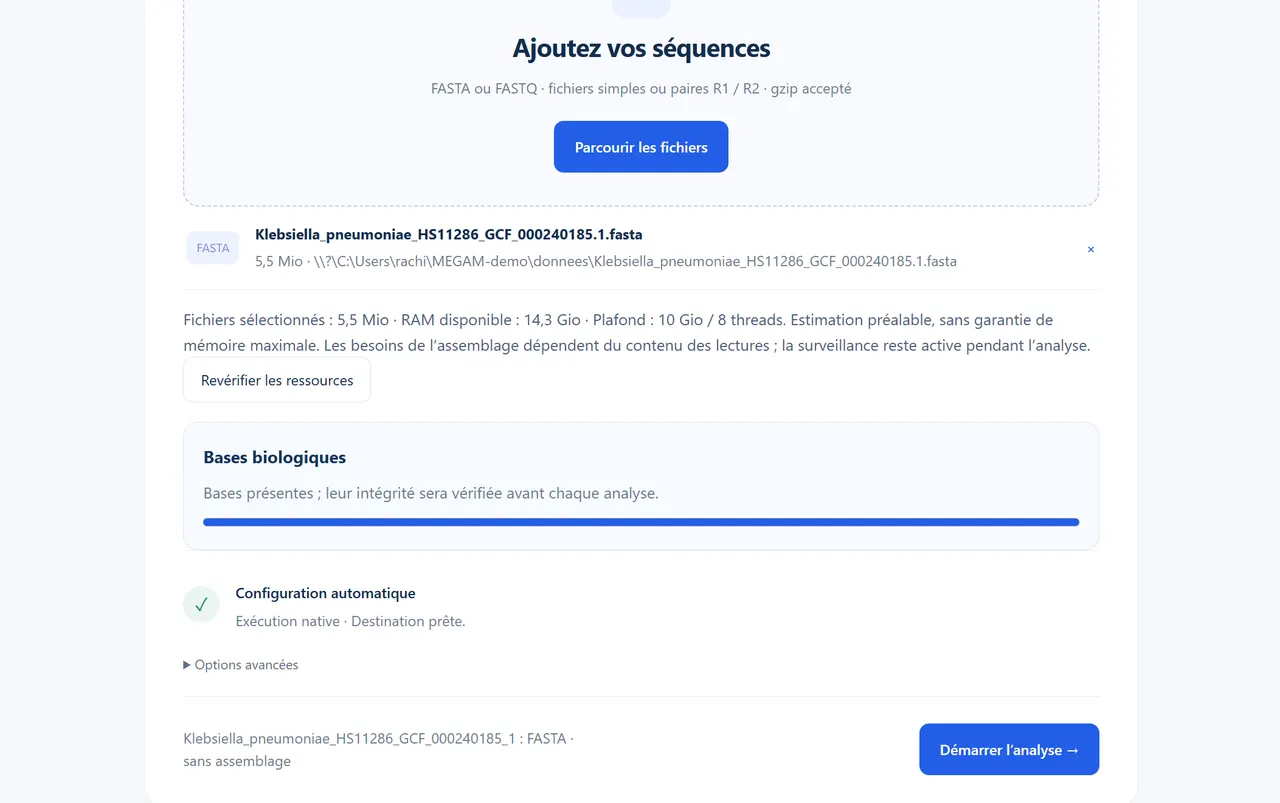
Click Parcourir les fichiers (browse files) and select your file. MEGAM accepts FASTA (assembled genome) and FASTQ (single or paired R1/R2 reads, gzip-compressed or not) and chooses the appropriate workflow itself: for a FASTA file it goes straight to genome description; for FASTQ reads it adds quality control and assembly.
Before starting, MEGAM shows the available memory and the ceiling it allows itself. If free memory is not enough for Kraken2, it disables it and says so: close some applications, then click Revérifier les ressources (re-check resources).
Step 4 — Start the analysis and follow its progress
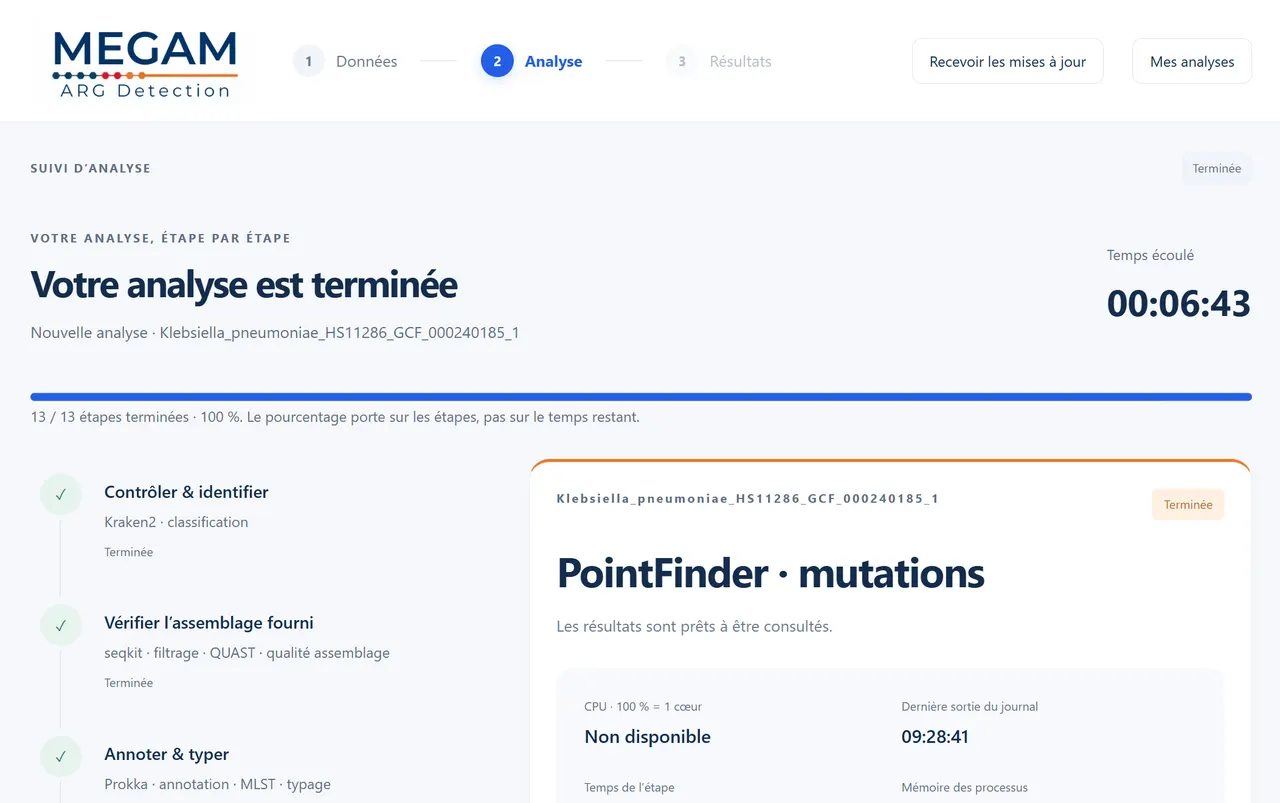
Click Démarrer l’analyse (start analysis). MEGAM checks the inputs and databases, then runs the tools in sequence: Kraken2 for species identification; seqkit and QUAST for the supplied assembly; Prokka for annotation and MLST for typing; and finally AMRFinderPlus, ABRicate (ResFinder, PlasmidFinder, CARD, NCBI, VFDB), RGI with CARD and PointFinder for resistance. The tracking screen shows the current step, the elapsed time and the tool’s activity.
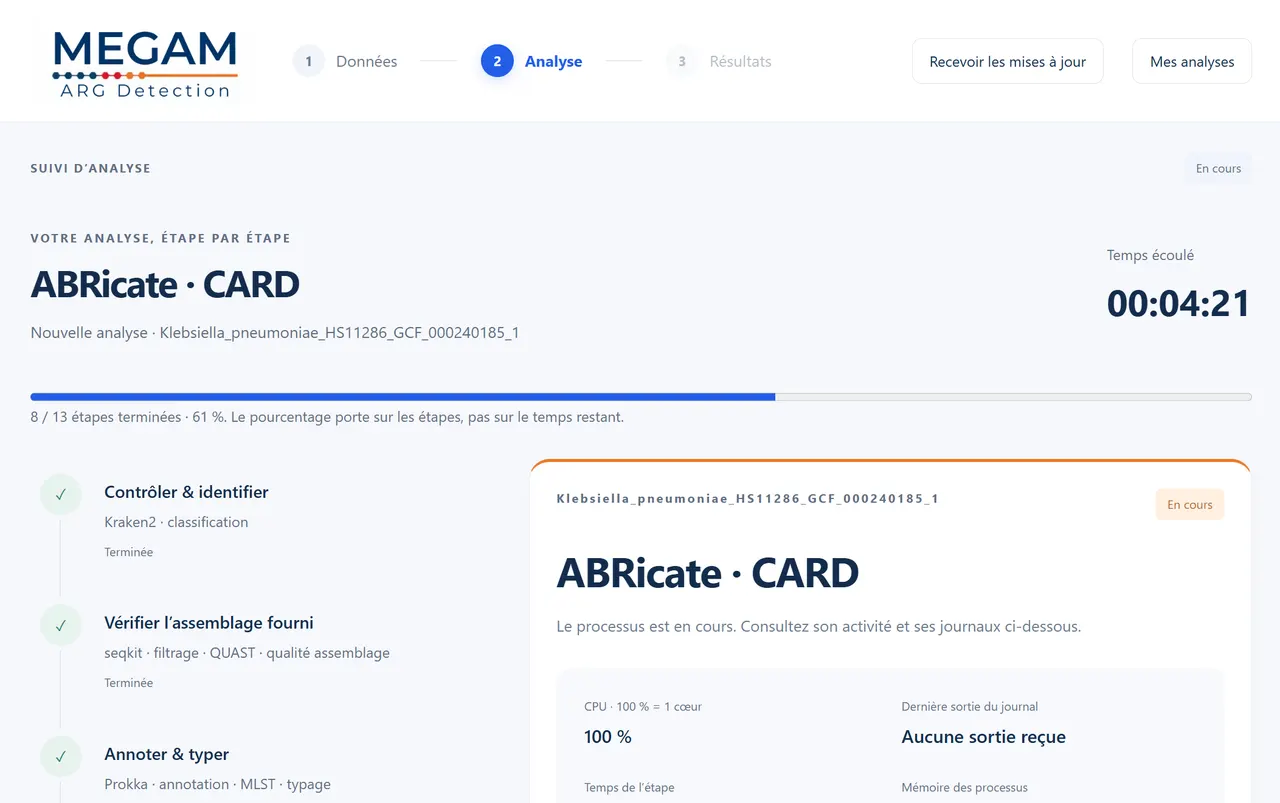
For this already assembled genome, the 13 steps took 6 minutes 43 seconds on our test machine (8 threads). An analysis starting from FASTQ reads takes longer, because it includes assembly.
Step 5 — Read the results
The results are organised in five tabs: overview, antibiotics, genes, quality & identity and tool reports. The overview summarises the species identified, the number of resistance annotations, the genome size, the MLST typing and the absence of a supplied antibiogram.
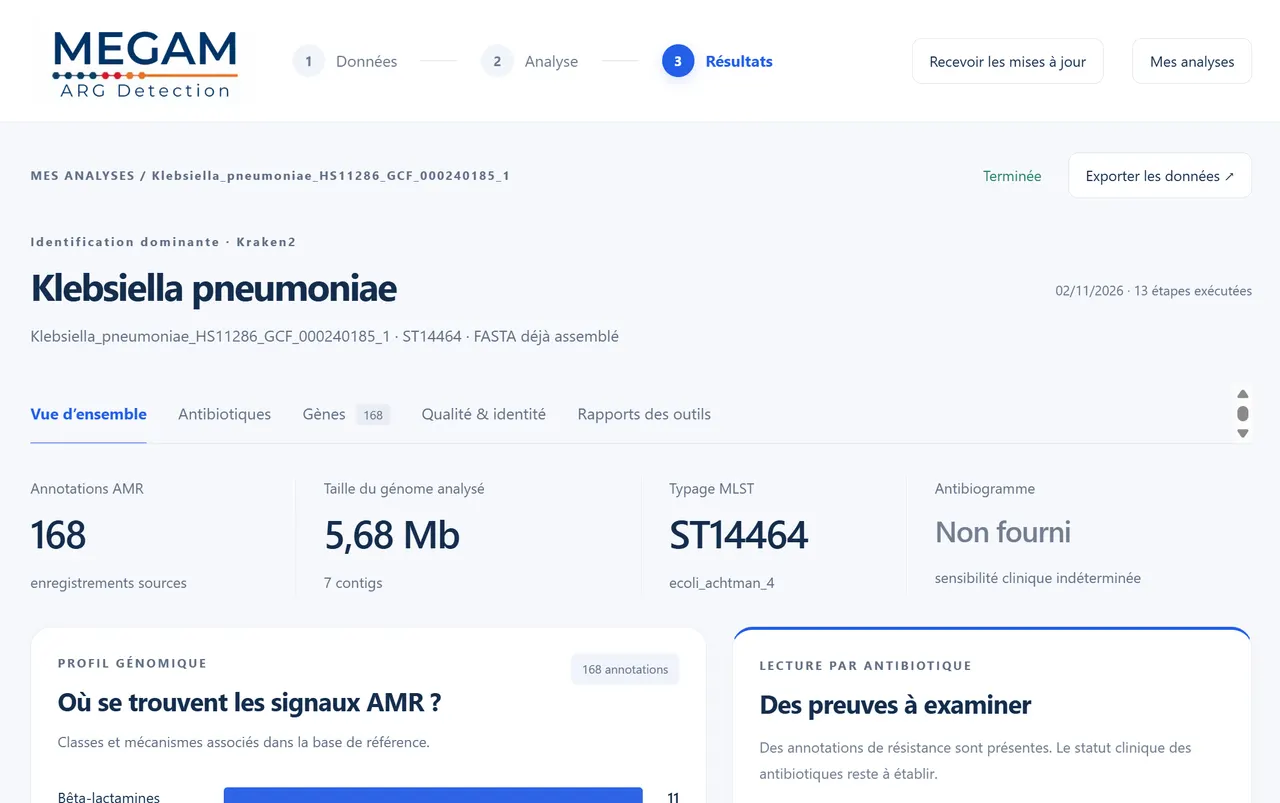
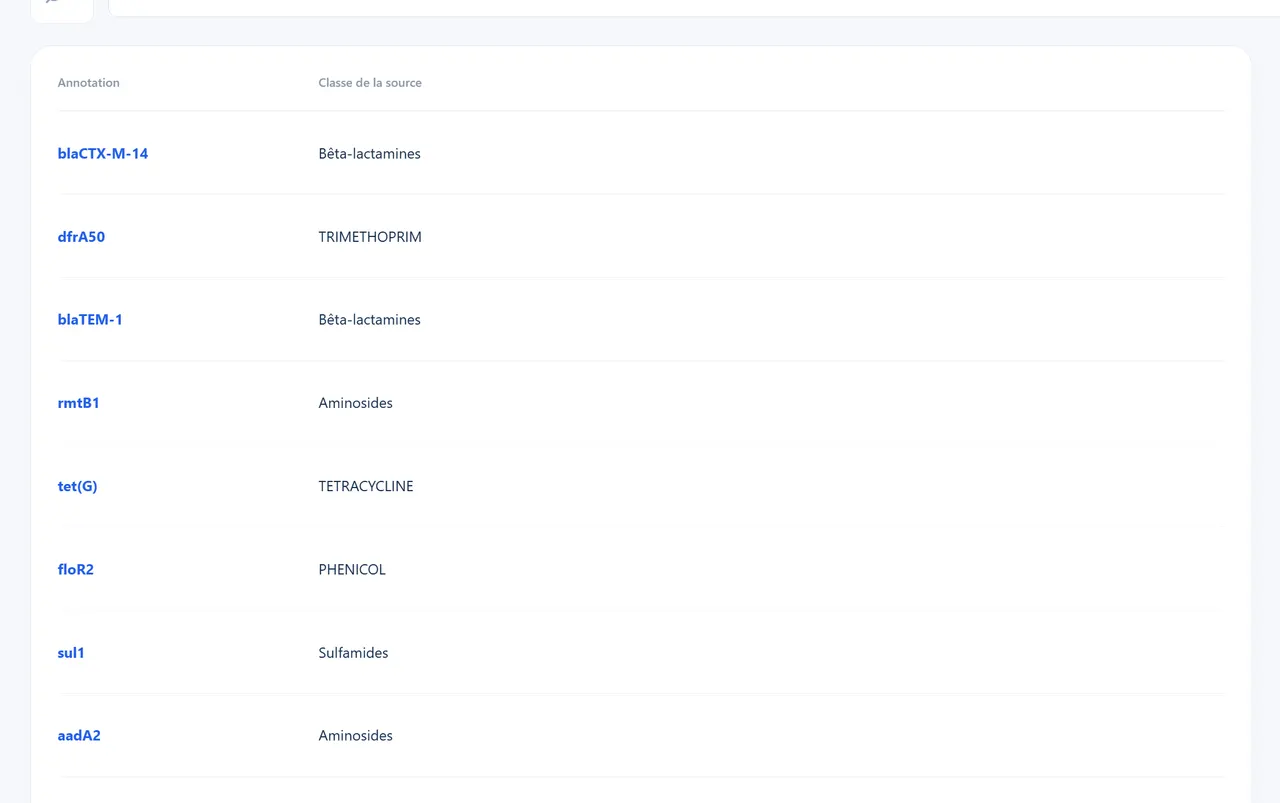
The figure of 168 counts the records from all tools: a gene found by several tools appears several times. The genes tab lists each annotation with its antibiotic class and links to its evidence. For HS11286, it includes:
- blaKPC-2, a carbapenemase;
- blaCTX-M-14, an extended-spectrum beta-lactamase, as well as blaTEM-1 and a blaSHV gene whose exact variant differs between tools (SHV-11, SHV-158 or SHV-182);
- rmtB, a 16S ribosomal RNA methyltransferase associated with aminoglycoside resistance, together with other aminoglycoside genes (aadA2, aac(3)-IId, aph(6)-Id, aph(3'')-Ib);
- sul1, sul2 (sulfonamides), dfrA12 (trimethoprim), tet(G) (tetracyclines) and floR (phenicols);
- the chromosomal mutations gyrA S83I and parC S80I, associated with fluoroquinolone resistance.
RGI also reports chromosomal efflux, porin or regulatory genes (for example acrA, acrB, ramA). They are part of the species’ normal genome: their presence alone does not mean acquired resistance.
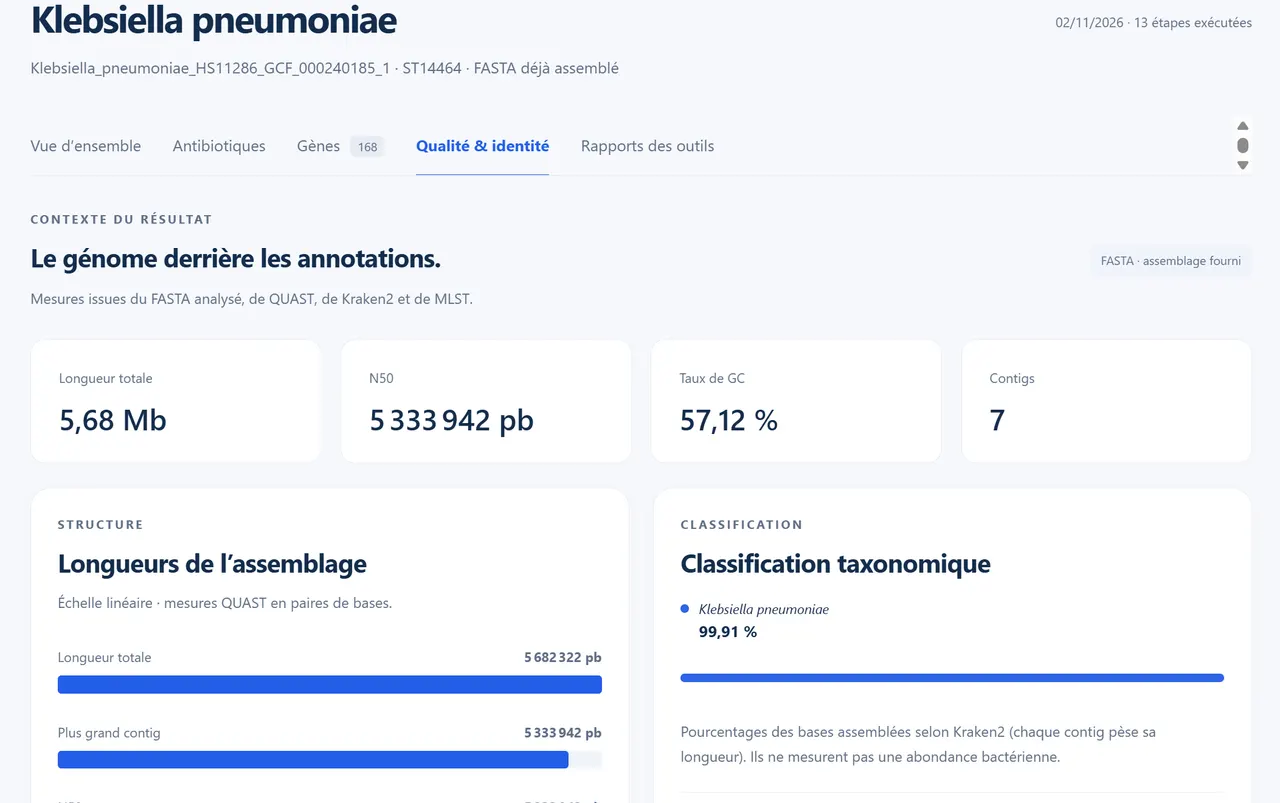
The quality & identity tab describes the analysed genome: total length, N50, GC content, number of contigs, and the Kraken2 classification. Here, 99.91% of the assembled bases are assigned to Klebsiella pneumoniae.
The Exporter les données (export data) button lets you retrieve the results, and the tracking screen shows the folder containing each tool’s files and logs.
Interpret with care
- A genetic detection indicates a resistance determinant, not measured susceptibility: MEGAM shows an “undetermined” clinical status as long as no antibiogram is supplied.
- Tools and databases do not always name genes the same way, as the blaSHV variants show here. Our comparison of detection tools explains why.
- Always report the MEGAM version and the database version in your reports.
Try MEGAM ARG Detection
Free Windows application, with no usage limit: your sequences stay on your computer.
Frequently asked questions
How long does an analysis take?
For the assembled genome of Klebsiella pneumoniae HS11286 (5.68 Mb), the 13 steps took 6 minutes 43 seconds on our test machine (8 threads). The duration depends on the computer and the data: an analysis starting from FASTQ reads takes longer, because it includes assembly.
Do I need an assembled genome or reads?
Both work. MEGAM accepts FASTA (assembled genome) and FASTQ (single or paired R1/R2 reads, compressed or not) and chooses the appropriate workflow: quality control and assembly for reads, direct genome description for a FASTA file.
Why is Kraken2 sometimes disabled?
MEGAM estimates the memory required before each analysis; with the current database, Kraken2 needs about 9 GiB. If free memory is not enough, it is disabled and the application says so. Close some applications, then click “Revérifier les ressources” (re-check resources).
Are the results enough to choose a treatment?
No. MEGAM is a research tool: genetic detections must be interpreted by a specialist and do not replace clinical assessment or an antimicrobial susceptibility test.